

Copier: How to scan and send email

Mar 05, 2026
59

This article outlines the process for searching for your email address and sending an email of a paper copy.
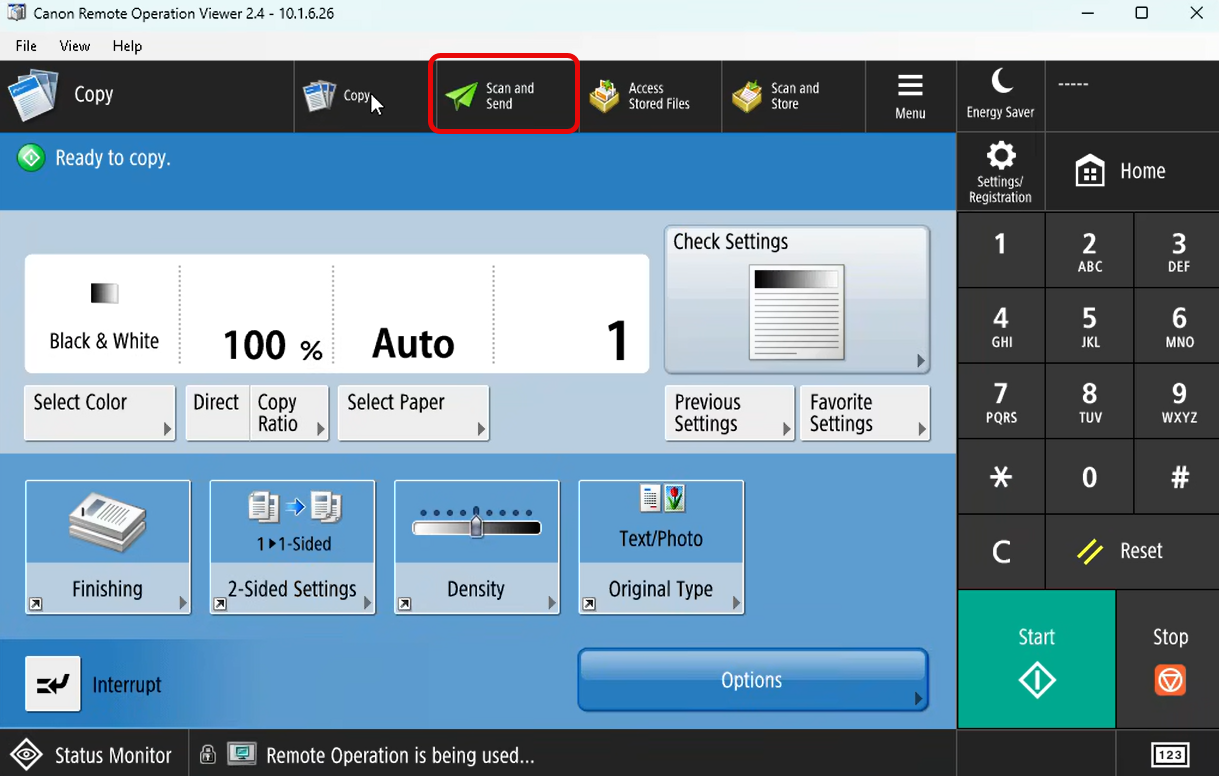
1. Select Scan and Send on the copier
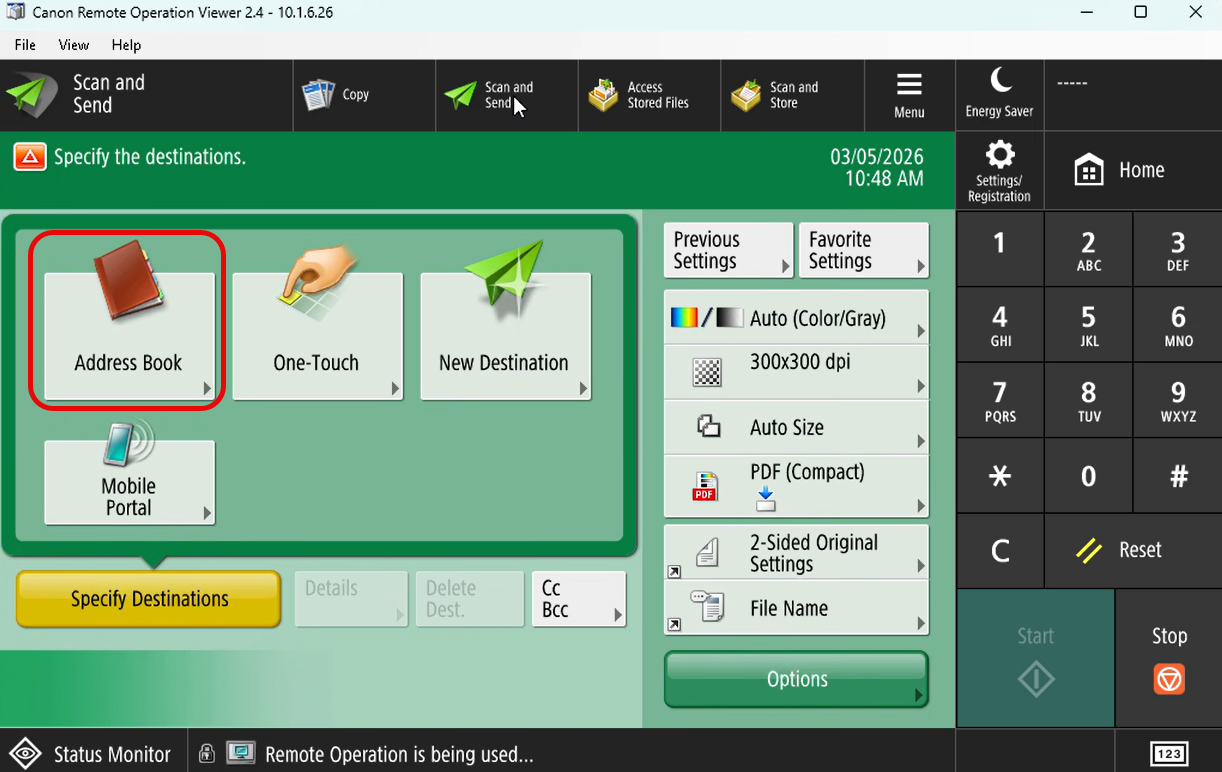
2. Select Address Book
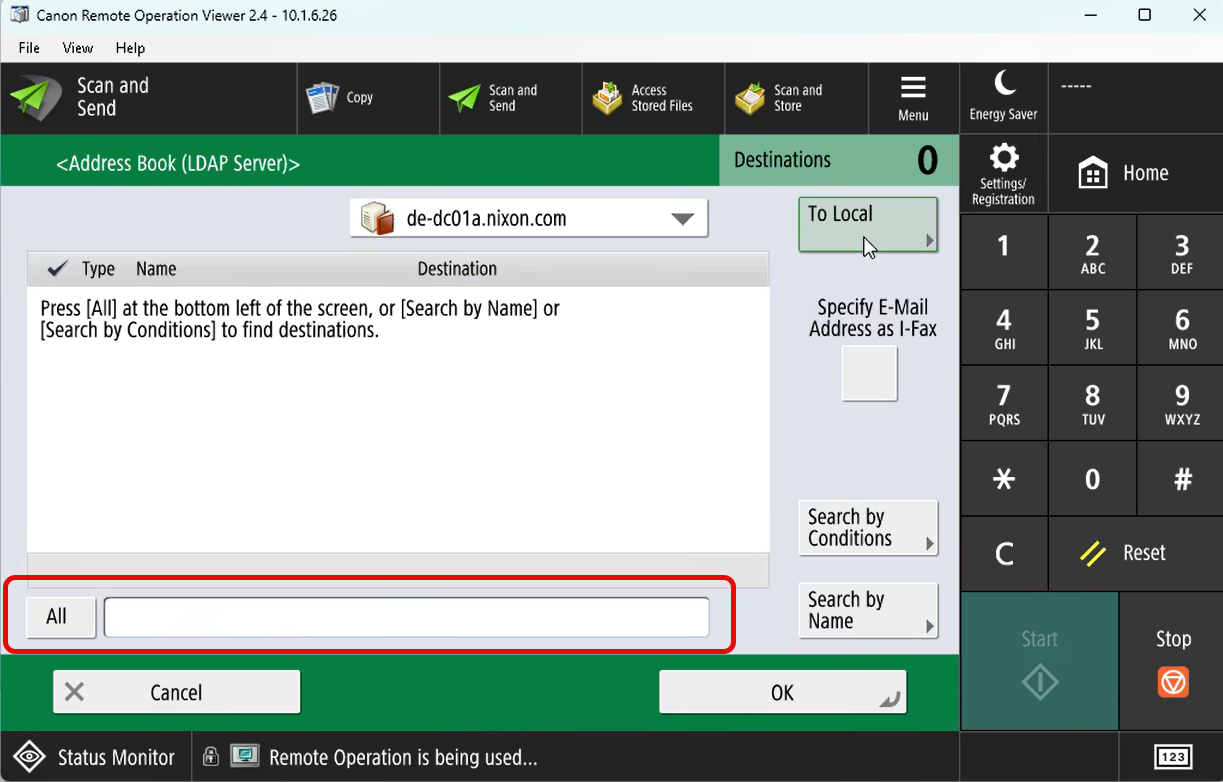
3. Select All to search for your name
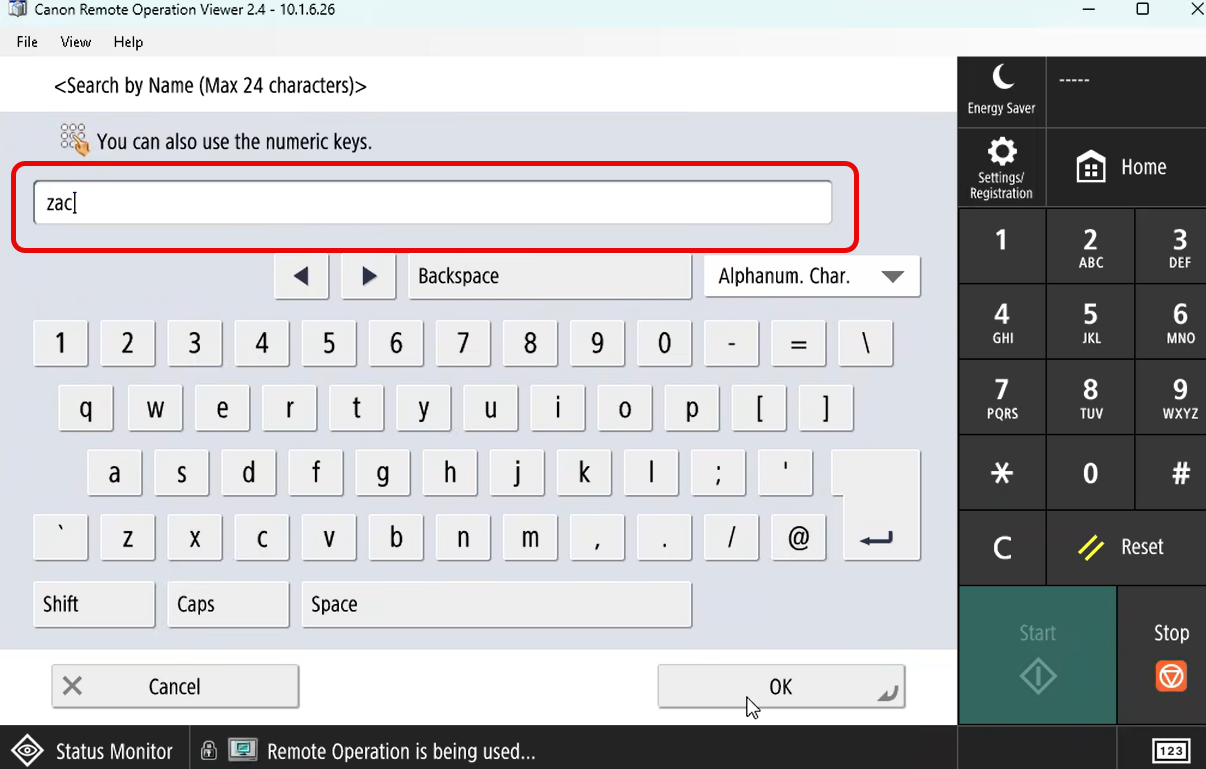
4. Type in at least 3 letters of your name
5. The list will populate
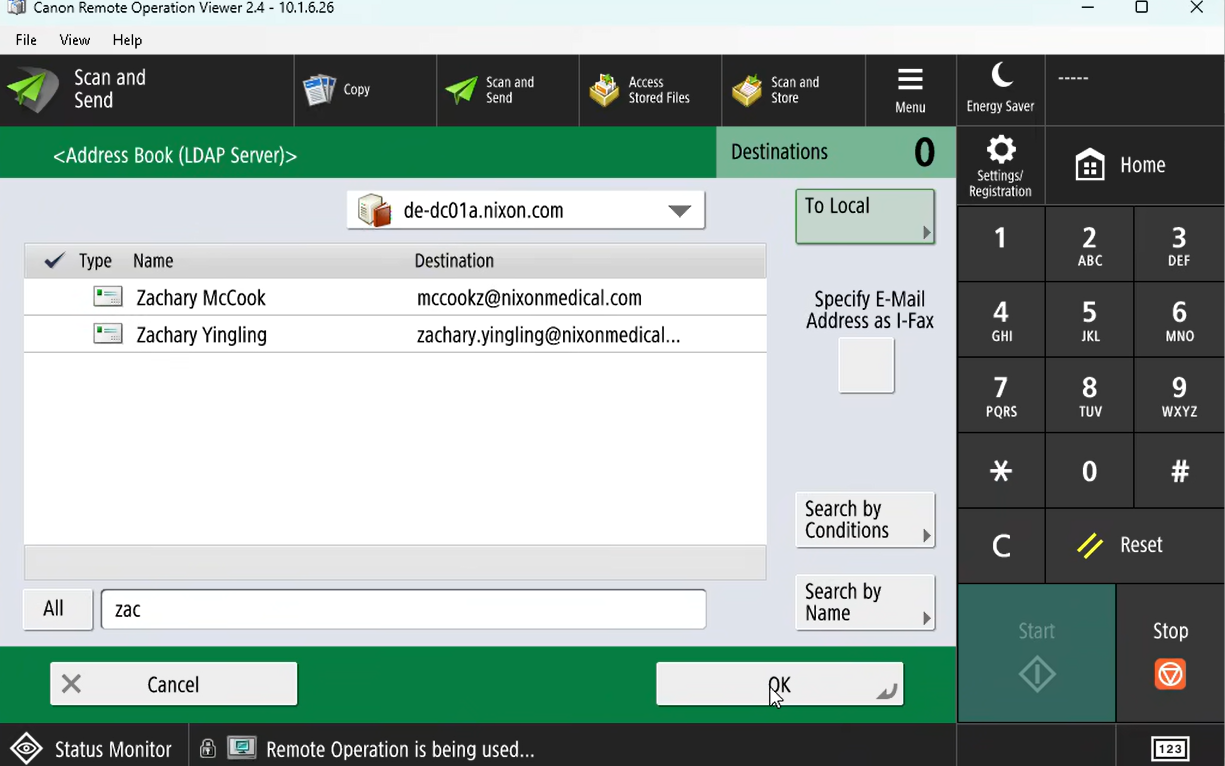
6. Select your name and tap Start

