

Installing Nixon Apps - Cloud

Apr 20, 2026
274

This article explains how to install the Nixon Apps client for the Cloud.
1. While on the Nixon network (in office or VPN) travel to: \\de-fs01\common\Nixon_Apps
2. Copy the Nixon_Apps shortcut to your desktop
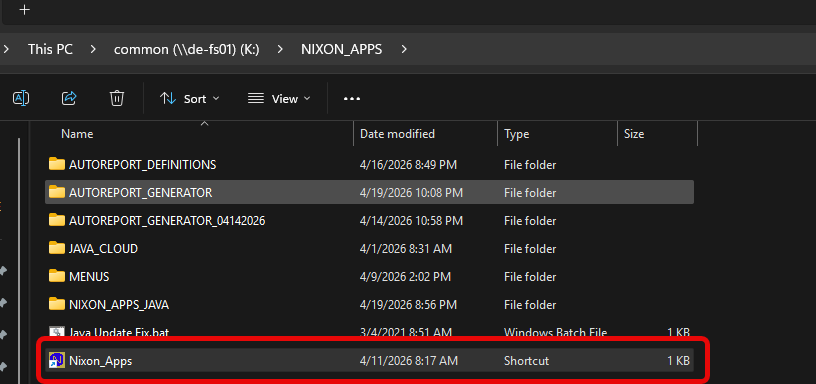
3. Either drag and drop the icon, or right-click copy and then paste on your desktop.
4. Use this application icon to connect to ABS cloud instead of the old Nixon Solutions app. You can move the old icon to the recycle bin.

