ABS Customer Delivery Variations

Dec 16, 2025
 9
9
Purpose: The ‘Delivery Variations’ process is designed to provide customers with their complete weekly requested inventory for two consecutive weeks, after which soil data will be analyzed to determine future Put Up quantities.
Complete the following steps to add Delivery Variations in ABS:
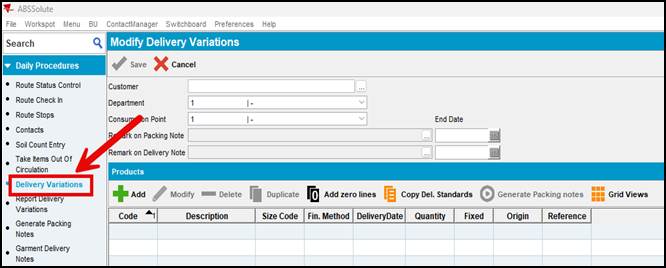
- In ABS, navigate to Daily Procedures – Delivery Variations
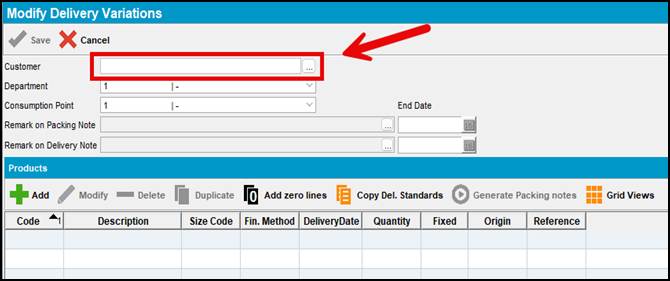
- Enter the customer number or click the
 icon to do a customer search
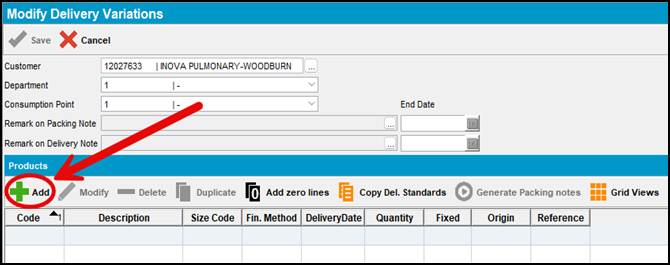
- Select the +Add button to begin entering your Delivery Variations.
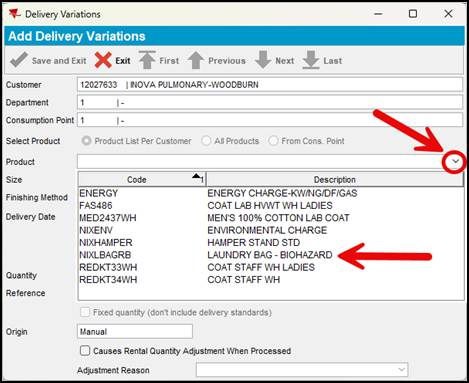
- Select the dropdown and click on the new product added and hit Enter. The Size and Finishing Method fields will automatically populate.
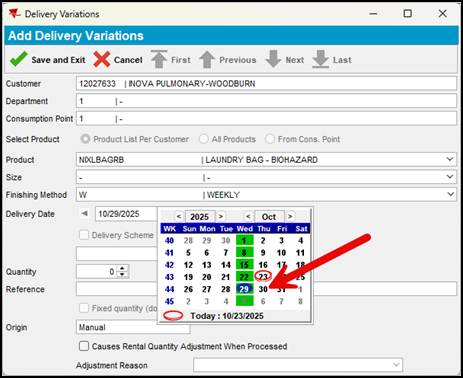
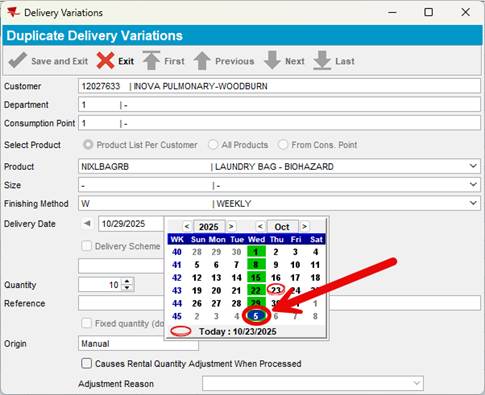
- Select the service date of the first delivery for the new product. Highlighted in red is the current day and highlight in green are the Service days for this customer. In the example below, this customer received the linen delivery on Wednesday each week.
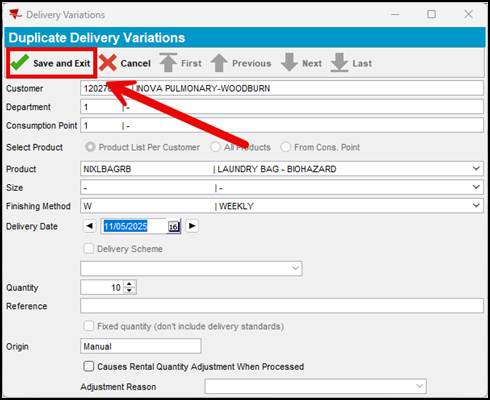
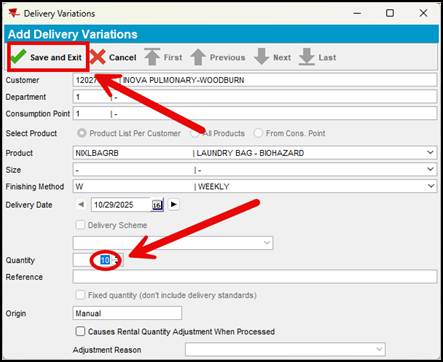
- Enter the weekly par level and click ‘Save and Exit.’
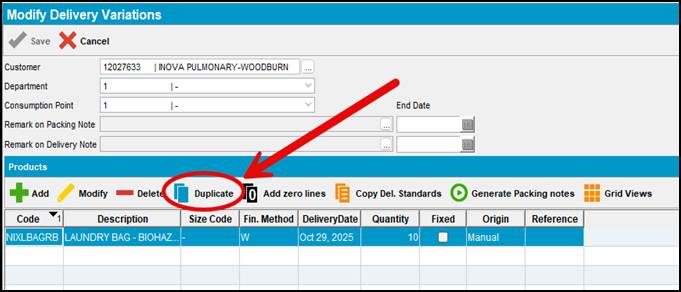
- Select Duplicate
(We must provide customers with their complete weekly requested inventory for two consecutive weeks before soil data is used to adjust the Put Up.)
- Select the next day in the delivery service sequence.
- Select ‘Save and Exit’